Connect to WiFi
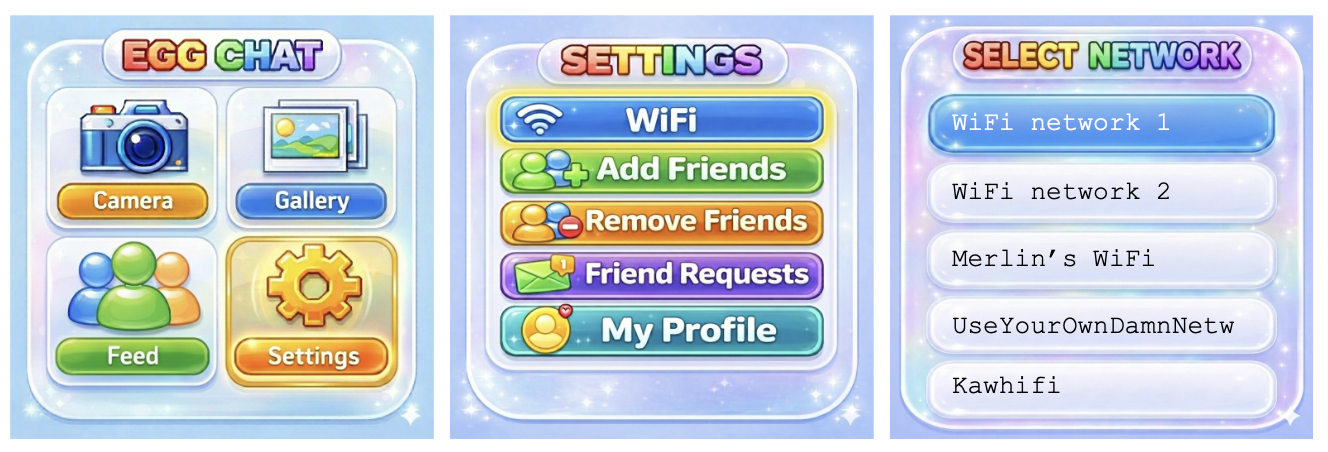
To connect to WiFi, click: Settings → WiFi.
Scroll up and down through the network list using L/R buttons, select a network using the ✓ button.
To enter the WiFi password, use the L and R buttons to scroll left and right through the alphabet (hold to scroll faster). Select a character with the ✓ button. Erase a character by selecting the ← character. Submit the password by selecting "OK" from the list.
Press L+R simultaneously to return to the previous menu.
If the WiFi icon on the top right of the screen is green, you are connected to WiFi, if it is grey/red, you are not connected to WiFi.